Custom Snapmaker U1 Firmware


Custom firmware for the Snapmaker U1 3D printer, enabling debug features like SSH access and adding additional capabilities.
This is an independent project and is not affiliated with Snapmaker.
Warning: While installing custom firmware does not automatically void the product warranty, any damage caused by or attributable to the installation or use of custom firmware is not covered under warranty. Use at your own risk. See Snapmaker Terms of Use for details.
Custom firmware is intended for users with appropriate technical knowledge. Ensure you understand the implications before proceeding.
Getting Started
Installation
Download the latest firmware from Releases.
📖 Installation Guide - Step-by-step installation instructions
Building from Source
Source repositories:
- GitHub: https://github.com/paxx12
- Codeberg: https://codeberg.org/paxx12-snapmaker-u1
For developers who want to build custom firmware, see Building from Source.
Community
Join the Snapmaker Discord and visit the #u1-printer channel to connect with other users using the custom firmware, share experiences, and get help.
Features
Heavily expanded firmware with extensive features and customization:
Web & Configuration:
- Firmware Configuration - Customize firmware behavior via web interface or config file
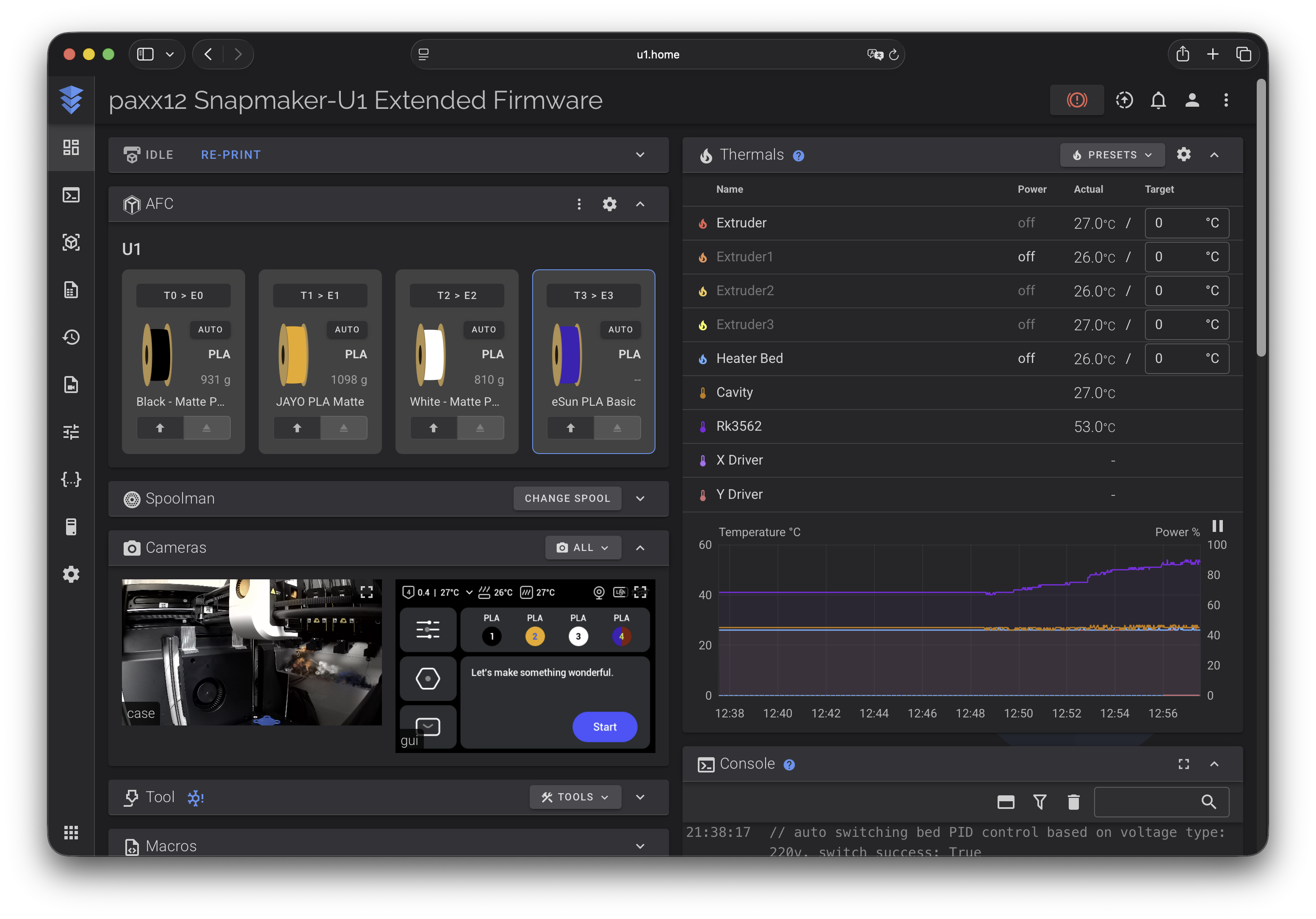
- Fluidd or Mainsail (selectable) - Choose your preferred web interface
- Firmware Upgrade Channels - Redirect or disable the stock firmware-update check
Camera & Media:
- Camera Support - Hardware-accelerated camera stack with WebRTC streaming for internal and USB cameras
- Remote Screen - View and control printer screen remotely via web browser
- HelixScreen Touchscreen GUI - Replace the stock touchscreen interface with the third-party HelixScreen Klipper UI
- Timelapse Support - Record print timelapses with automatic cleanup
- Timelapse Recovery Tool - Recover unplayable timelapse videos
Klipper Customization:
- Klipper and Moonraker Custom Includes - Add custom configuration files via Fluidd/Mainsail
- Klipper Print Hooks - React to
PRINT_START,PRINT_END, andCANCEL_PRINTwithout modifying stock macros - Klipper Tweaks - Experimental TMC driver optimizations, reduced current, and object processing for adaptive mesh
- AFC-Lite Stub - Experimental AFC UI compatibility layer for Fluidd/Mainsail
- Anycubic ACE via multiACE - Experimental PAXX-managed ACE support in the rolling-only
extended-multiaceprofile - Panda Breath Chamber Heater - BIQU Panda Breath 300 W chamber heater and air filter integration via Klipper
heater_generic - Filament Feeders - Feeder setup selection, including longer filament preload for the BIQU PopStation mini without hand-editing
filament_feed.pyorprinter.cfg - Faulty Toolhead Bypass - Temporary bypass for one failed toolhead thermistor so the other toolheads can still be used
- RFID Filament Tag Support - NTAG213/215/216 support for OpenSpool format
- Alternative Filament Detection - Alternative detection implementations with extended spool/tag support from Bambu, Creality, Anycubic, and others
- Spoolman Integration - Automatic filament metadata sync and spool tracking via Spoolman, resolving spools by ID or RFID card UID, with community companion apps for tagging and linking spools
- NFC Tags & Spoolman Setup Guide - Step-by-step guide to tagging spools and tracking them in Spoolman
Monitoring & Notifications:
- Monitoring - Integration with Prometheus, Home Assistant, DataDog, and other monitoring systems
- Moonraker Apprise Notifications - Send print notifications to Discord, Telegram, Slack, and 90+ services
Remote Access:
- VPN Remote Access - Secure remote access via Tailscale
- Cloud Remote Access - Cloud-based remote access service for 3D printers
Support
See Heroes for contributors who made significant contributions to each release.
If you find this project useful and would like to support its development, you can:

🖨️ Buy a Snapmaker U1 — ordering via the link below supports this project. Optionally use code PAXX12CUSTOM for $20 off, or any other discount you find online:
- EU store: https://snapmaker-eu.myshopify.com?ref=paxx12
- US store: https://snapmaker-us.myshopify.com?ref=paxx12
- Global store: https://test-snapmaker.myshopify.com?ref=paxx12